Fallen Lineage Favorites: Player Stats and Game Guide
Explore Fallen Lineage favorites, player counts, and ratings, plus practical tips for turn-based combat, compatible gear, and solo or four-player runs.
Jump to
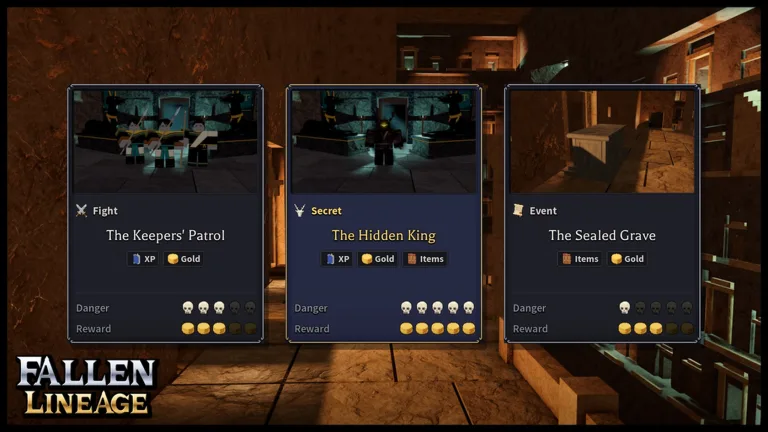
Fallen Lineage favorites total 6,345 on Roblox. The game pairs turn-based battles with equipment drops, character upgrades, and encounters against bandits and wolves. If you're deciding whether to jump in, the ratings, party size, and turn-based combat offer a fuller picture.
What Does the Favorite Count Tell You?
The favorite total is one of several separate numbers on the game's Roblox page. Likes and dislikes capture votes, while the online player count measures activity at a particular moment.
Here's how the game's numbers break down:
| Roblox metric | Count |
|---|---|
| Favorites | 6,345 |
| Visits | 351,938 |
| Likes | 2,496 |
| Dislikes | 327 |
| Players online | 1,582 |
Fallen Lineage was created on Roblox on October 18, 2026, and received an update on November 15, 2026. The favorite count doesn't tell you how many people are currently available to play.
Solo Play, Four-Player Parties, and Server Size
Fallen Lineage is a turn-based roguelite RPG that supports solo play or groups of up to four players. Its maximum server capacity is 20 players; that is separate from the four-player adventure limit.
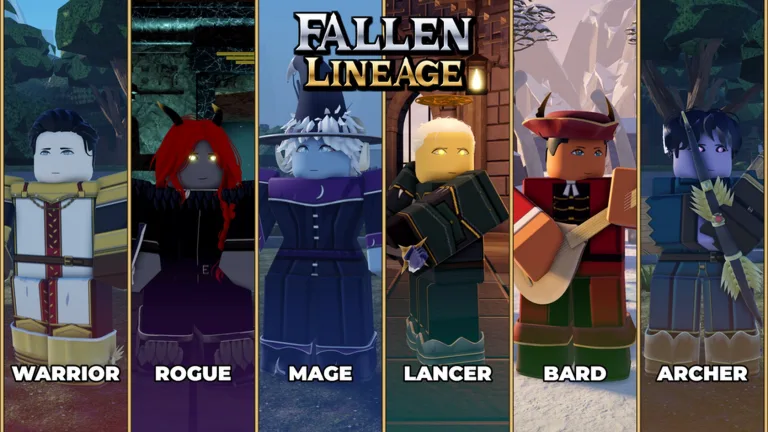 Image: Roblox / odanos
Choose solo if you want to work through combat decisions at your own pace, or bring up to three friends for a group run. Either way, expect resistance: the game explicitly warns that its difficulty can challenge some players.
Solo play includes a normal difficulty option. Beyond fighting, you can spend money on city construction and repair damaged structures. Check your available money before building, since construction draws on that resource.
You can play Fallen Lineage on Roblox to start a run.
Plan Around Skill Cooldowns and Remaining Health
Early encounters include defending a delivery from bandits and fighting wolves. Battles award XP and gold, and some encounters also yield equipment.
The delivery-defense event asks you to protect a shipment from bandits trying to steal it. Multiple enemies can take part in the same encounter, so check how many opponents remain after each attack. Defeating one enemy doesn't necessarily finish the fight.
Skills can hit hard, but cooldowns prevent continuous use. Plan your next attack around the cooldown instead of assuming another skill activation will be available immediately.
Keep an eye on health between encounters, too. Don't assume it will refill before your next fight. Check your remaining HP before committing to another event, especially after an encounter that dealt heavy damage.
Wolves can deal heavy damage, even in encounters where your own skills defeat an enemy in one hit. Check both your damage and remaining health: landing a powerful attack doesn't remove the danger from enemies still standing. Use regular attacks while waiting for an unavailable skill rather than repeatedly trying to activate it.
Check Equipment Compatibility Before Upgrading
A higher damage range is useful only if your character can equip the item. Some weapons and clothing are restricted by character type, so inspect compatibility before planning around a new drop.
For a straightforward weapon comparison, the early gameplay includes damage ranges of 11-14 and 17-21. The second range is higher at both ends, making it a clear damage upgrade when compatible.
Character development also includes a skill tree that consumes points and separate stat upgrades. Before spending points, inspect your current equipment and available skills. Build around what your character can actually use, and check whether a new inventory item is equipment or a material before trying to equip it.
The stat menu includes Spirit and agility. Inspect those options alongside your skill tree before allocating points. The skill tree's point requirement also means you can run out of points while making upgrades; check your remaining balance before selecting another improvement.
For additional rewards, try 400CCU, UPDATE2, SOMANYSHUTDOWNS, and PARAGUAY. These codes are time-limited. To redeem one:
- Launch Fallen Lineage on Roblox.
- Open the Shop section.
- Find the code entry field.
- Enter the code exactly as written.
- Confirm to claim the reward.
Join the game's Roblox group before redeeming codes; redemption can require group membership. If the game asks you to join, complete that requirement and then try the code again. Keep the spelling intact when entering each code.
Continue with
 Fallen Lineage Player Count: Online Numbers and PeakExplore the Fallen Lineage player count, online population, peak players, and party limits. See what the numbers mean before starting your next Roblox run.
More in Community
Fallen Lineage Roblox Group: How to Join and Use Codes
Find the Fallen Lineage Roblox group, join odanos through the game's page, and learn the code requirements to claim Reroll Tokens, Lives, and Reset Orbs.
Fallen Lineage Visits: Player Counts and Growth Stats
Explore Fallen Lineage visits, player counts, and community growth. Learn what the numbers mean, how party sizes work, and what to expect before you play.
Continue exploring
Fallen Lineage Turn Based Combat: Classes and Survival
Master Fallen Lineage turn based combat with class tips, solo and co-op advice, and resource planning to make smarter choices and keep your next run alive.
Fallen Lineage Difficulty: How to Survive Early Runs
Struggling with Fallen Lineage difficulty? Learn how to manage skill cooldowns, choose a beginner class, and upgrade gear before taking on tougher runs.
Join the community
Official channels for news, updates and player help: