Fallen Lineage Solo Play: How to Start and Survive
Master Fallen Lineage solo play with tips on Normal runs, skill cooldowns, compatible gear, and health management. Prepare for your next fight on Roblox.
Jump to
Can You Play Fallen Lineage Alone?
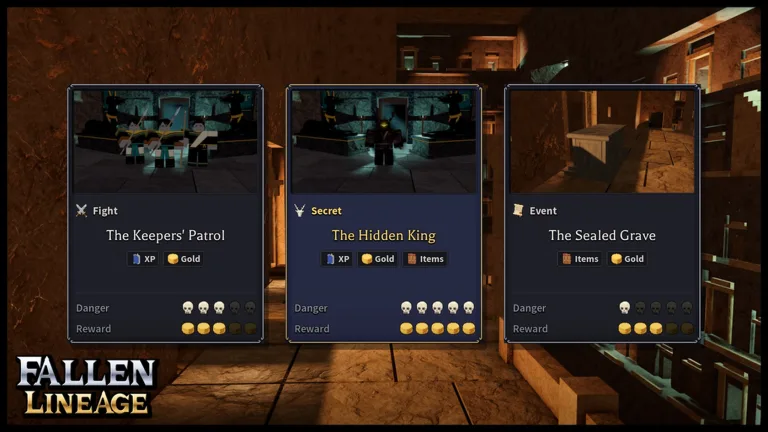
Fallen Lineage solo play puts every combat decision in your hands. You can tackle this turn-based roguelite RPG alone or join a party of up to four players. When you head out alone, managing your health, skill cooldowns, and equipment becomes essential to surviving consecutive encounters.
Start through the Fallen Lineage Roblox game page, complete the tutorial, then select solo play and Normal difficulty. Use those early encounters to learn how your basic attack and equipped skill work before taking on more demanding fights.
The tutorial includes a delivery-defense event against bandits. It introduces the core loop: fight enemies, earn gold and XP, and use your growing resources to improve your character.
Plan Attacks Around Your Skill Cooldown
Skills can finish early enemies quickly, but they have cooldowns. Plan your follow-up before using one: an enemy that survives the hit still needs an answer while that ability is unavailable.
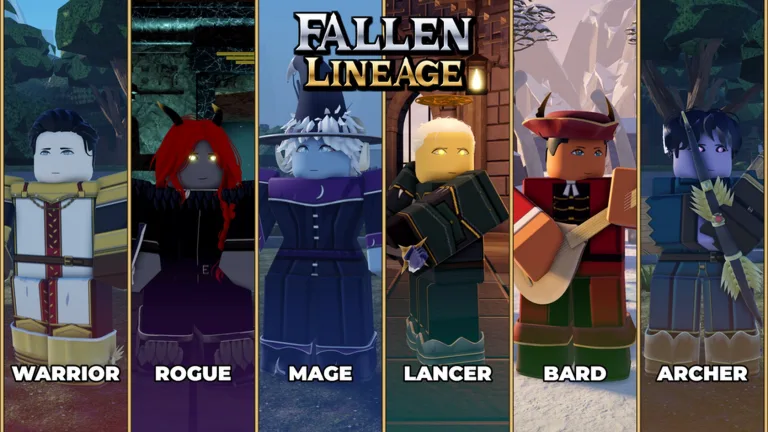 Image: Roblox / odanos
During early fights:
- Check enemy health before choosing an attack. Use basic attacks to finish weakened targets when that preserves a useful skill.
- Spend skills where their damage matters. Against multiple enemies, look for an opportunity to finish a target rather than leaving every opponent alive.
- Watch the damage you take in return. An encounter that looks manageable can become costly when several enemies remain.
- Reassess after each action. Base your next move on current health and skill availability.
Bandit and wolf encounters both appear early. Wolves can deal substantial damage, so avoid judging a fight solely by how quickly your strongest skill defeated the previous enemy.
Check Equipment Compatibility Before Damage
A larger damage number only helps if your character can equip the item. Weapons and clothing can be restricted by character type, so inspect compatibility before planning around a new drop.
An early weapon comparison illustrates the potential upgrade: one weapon deals 11–14 damage, while another deals 17–21 damage. The second has a higher displayed damage range, but compatibility still comes first.
After receiving equipment:
- Open your character equipment.
- Check whether the new item fits your character type.
- Compare its displayed values with your equipped item.
- Equip the upgrade if it is compatible and supports your current setup.
Check item descriptions carefully, too. Materials and wearable equipment serve different purposes; finding something in your inventory does not automatically mean it belongs in an equipment slot.
Your skill tree also uses points. Read the available upgrades before spending them, and connect each choice to an attack or ability you actually use. Avoid copying an allocation simply because another character has access to similar-looking options.
Watch Your Health Between Encounters
Do not assume your HP will refill automatically after a victory. Health can remain depleted between fights, turning several successful encounters into a dangerous stretch.
Check your health before entering another event, especially after fighting multiple enemies. Compare the damage you just took with the HP you have left. If another similar exchange would defeat you, avoid immediately committing to another optional battle.
Events can award XP, gold, and equipment, but reaching an event is not a reason to enter it at low health. Keep your current condition ahead of the promise of another drop.
Before continuing, check:
- Your remaining HP.
- Whether your main skill is available.
- Whether a compatible equipment upgrade is sitting unused.
- Whether you have unspent skill-tree points.
Use Code Rewards to Support Your Runs
Extra Lives and Reroll Tokens provide useful resources while you learn. Try these codes, entering the capitalization exactly:
| Code | Reward |
|---|---|
| 400CCU | 3 Reroll Tokens and 1 Life |
| UPDATE2 | 2 Reroll Tokens and 2 Lives |
To unlock code redemption, play for approximately 30 minutes, join the game's official Roblox group, and like the game on Roblox.
Then open the Shop icon in the right corner, select the Codes tab at the top, enter a code, and confirm. Codes are time-limited, so redeem them once you meet the requirements.
Continue with
 Fallen Lineage Difficulty: How to Survive Early RunsStruggling with Fallen Lineage difficulty? Learn how to manage skill cooldowns, choose a beginner class, and upgrade gear before taking on tougher runs.
More in Guide
See all Guide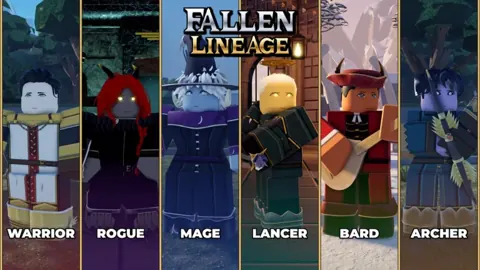
Continue exploring
Fallen Lineage Roblox Group: How to Join and Use Codes
Find the Fallen Lineage Roblox group, join odanos through the game's page, and learn the code requirements to claim Reroll Tokens, Lives, and Reset Orbs.
Fallen Lineage Roblox: How to Play, Classes and Codes
Start Fallen Lineage Roblox with tips for turn-based combat, classes, gear, and guilds. Learn how to redeem codes for Reroll Tokens, Lives, and Reset Orbs.
Join the community
Official channels for news, updates and player help: