Fallen Lineage Roblox: How to Play, Classes and Codes
Start Fallen Lineage Roblox with tips for turn-based combat, classes, gear, and guilds. Learn how to redeem codes for Reroll Tokens, Lives, and Reset Orbs.
Jump to
What Is Fallen Lineage, and Where Can You Play?
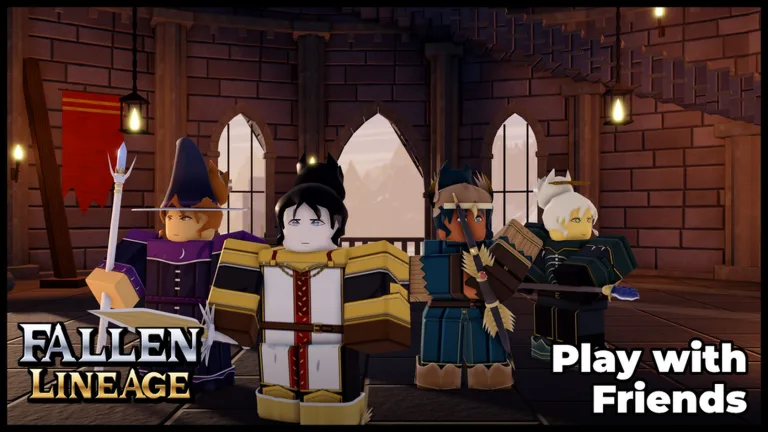
Fallen Lineage Roblox is a turn-based roguelite RPG where a bad decision can end your run. You can play solo or bring up to three friends, developing your character through battles, equipment, and skill upgrades. Learning how cooldowns and gear restrictions work helps you survive encounters that raw damage alone won’t solve.
Open the Fallen Lineage experience on Roblox to get started. Look for the game by odanos, since Fallen Lineage and Rogue Lineage are separate experiences.
A server holds up to 20 players, but an adventure party supports four players total. Keep that distinction in mind when organizing a session with friends.
Follow the tutorial before moving into additional encounters. Early activities include protecting a delivery from bandits, fighting wolves, and earning gold, XP, and equipment through combat. Solo play includes a Normal option for starting a run.
Choose a Class Around the Way You Want to Fight
The six classes cover melee attacks, spellcasting, ranged damage, and party support:
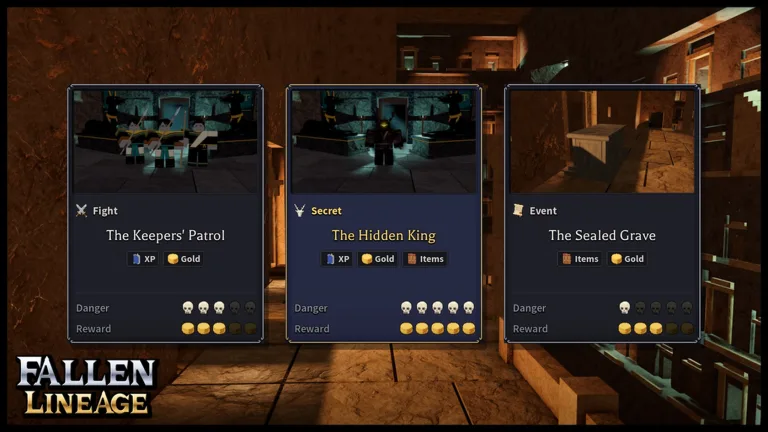 Image: Roblox / odanos
| Class | Combat style |
|---|---|
| Warrior | Direct melee combat |
| Rogue | Agile strikes |
| Mage | Offensive spells |
| Lancer | Thrusting attacks |
| Bard | Support and buffs |
| Archer | Ranged attacks |
Try Warrior or Lancer if you want a straightforward melee starting point. For a group focused on supporting one another, consider Bard’s buffs alongside your teammates’ damage options.
Avoid spending upgrade points before reading your class’s abilities. The skill tree uses points, and character stats offer another place to invest in your build. Choose upgrades that support the attacks you actually use rather than spreading points across unfamiliar stats.
There’s also a practical reason to settle on a direction: equipment compatibility matters. Finding a stronger-looking weapon doesn’t mean your current character can equip it.
Plan Around Skill Cooldowns and Remaining HP
Powerful skills can make early enemies much easier to defeat, but they have cooldowns. You’ll need basic attacks while those abilities are unavailable.
Build your combat decisions around three checks:
- Look at the enemies still standing. Bandit encounters can involve several opponents, so consider how many threats remain before spending an available skill.
- Check whether your skill is ready. Plan your next move around its cooldown instead of expecting to use it repeatedly.
- Check your remaining HP before continuing. Don’t enter another encounter assuming the previous fight’s damage has disappeared.
Use a ready skill to remove a dangerous opponent when possible. Against a group, eliminating an enemy can be more useful than leaving several enemies alive with reduced health.
Watch your health even after an easy victory. A string of successful fights can still leave you poorly prepared for the next encounter. Stop to reassess your equipment and upgrades when your HP is getting low.
Compare Gear Before Spending More Points
Battles award gold and XP, and equipment drops give you another way to strengthen your character.
Start with compatibility, then compare damage. A weapon displaying 17-21 damage offers a higher range than one displaying 11-14, but that comparison only helps if your character can use the replacement. Clothing can have type restrictions, too.
After collecting loot:
- Check whether the item is equipment or a material.
- Read its compatibility requirements.
- Compare usable weapons with your equipped weapon.
- Review available skill-tree and stat points before starting another run.
Don’t assume every inventory item belongs in an equipment slot. Materials and wearable gear serve different purposes, so read the item information before trying to swap something in.
What the November Updates Add
The November 13 Player Guilds update gives groups more to work toward. Guilds have two modes: the Hunt, which runs weekly, and the Raid, which runs every two weeks. Guild leaderboards also offer rewards.
That update raises the level cap from 50 to 60 and introduces skill tree codes for sharing builds and loading another tree as a guide. Use those sharing tools to compare skill choices with friends before spending your own points. These are separate from the reward codes redeemed through the Shop.
Controller support also received improvements in that update.
The November 6 update expanded combat and equipment with two new lands, four bosses, 16 enemies, 11 new gears, and Tier 3 gears. It also introduced 13 Mythic items, available only in Snowy Mountains+. Leave Mythic hunting for those areas rather than expecting those drops during earlier encounters.
Stables / Pets is scheduled for November 21–28, making it an upcoming content event rather than part of the November 13 additions.
Fallen Lineage Codes and How to Redeem Them
Reward codes provide Reroll Tokens, Lives, Reset Orbs, and other freebies. Enter each code exactly as written, including the lowercase spelling of mybelovedcrits.
| Code | Reward |
|---|---|
400CCU | 3 Reroll Tokens and 1 Life |
UPDATE2 | 2 Reroll Tokens and 2 Lives |
mybelovedcrits | 3 Reset Orbs |
SOMANYSHUTDOWNS | Free rewards |
PARAGUAY | Free rewards |
Unlock the Codes Tab
Before redeeming codes, complete these requirements:
- Play for approximately 30 minutes.
- Join the game’s Roblox group.
- Like the experience on Roblox.
Then follow these steps:
- Launch Fallen Lineage.
- Open the Shop using the icon in the right corner.
- Select the Codes tab at the top.
- Enter a code in the “Enter a Code...” field.
- Confirm to claim the reward.
If redemption fails, check the unlock requirements and remove any extra spaces from the code. Try a new server when a newly released code won’t register. Codes are time-limited, so redeem them before putting off another session.
For new reward announcements, follow the game’s Roblox community and the developer’s official Discord channel.
Continue exploring
Fallen Lineage Features Guide: Classes, Combat & Loot
Use this Fallen Lineage features guide to learn all six classes, plan turn-based battles, compare loot, and manage upgrades before your next Roblox run.
Fallen Lineage Tier List: Best Classes for Your Run
Use this Fallen Lineage tier list to compare all six classes, find reliable beginner picks, and choose between solo damage and support for your party run.
Join the community
Official channels for news, updates and player help: